
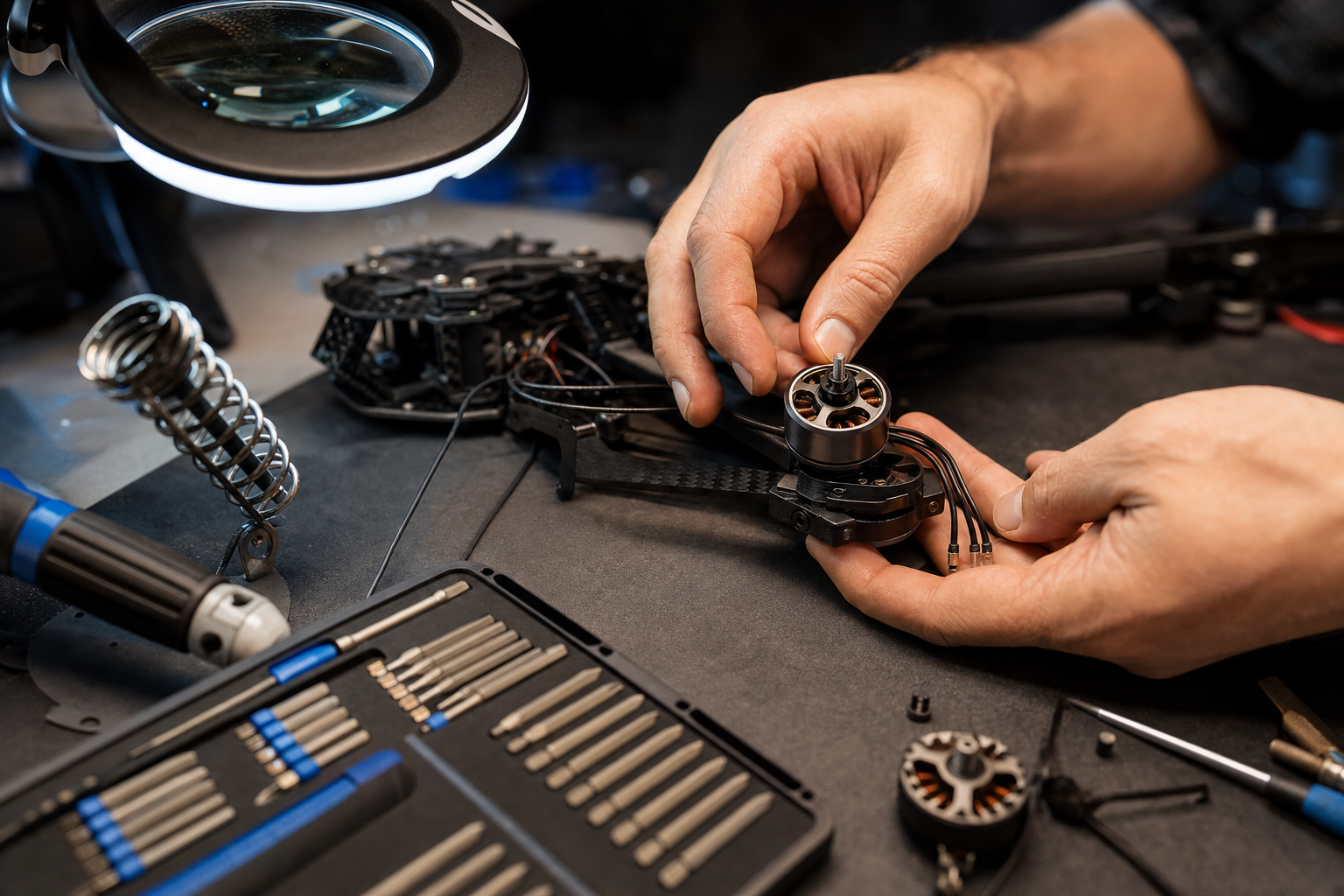
Brushless motors are the heart of every multirotor drone. They convert electrical energy into thrust with remarkable efficiency, but they are not immune to wear and damage. If one of your motors is producing unusual vibrations, running hot, making grinding noises, or simply refusing to spin, it is time for a replacement. This step-by-step guide will walk you through the entire motor replacement process, from diagnosis to post-install calibration.
Tools You Will Need
- Precision Phillips-head screwdriver (PH0 or PH1, depending on model)
- Hex key set (1.5mm and 2.0mm are most common)
- Soldering iron and solder (if motor wires are soldered to the ESC)
- Heat-shrink tubing
- Plastic spudger or pry tool
- Threadlocker (Loctite Blue 242)
- Replacement motor (ensure correct rotation — CW or CCW)
- Isopropyl alcohol and cotton swabs
Step 1: Identify the Faulty Motor
Before disassembling anything, confirm which motor is faulty. Power on the drone without propellers and run a motor test through the companion app (DJI Fly, Autel Explorer, etc.). Observe each motor for smooth, consistent spinning. Listen for grinding or clicking sounds. Feel each motor bell for excessive heat after a brief spin-up. If your app provides motor RPM data, compare the readings — a significantly lower RPM under the same command signal indicates a struggling motor.
Step 2: Remove the Propeller
Press the release button or turn the propeller in the unlocking direction (marked on the motor bell) and lift it off. On DJI drones, propellers with a white dot go on motors with a white dot. Always remove all four propellers for safety, even if you are only working on one motor.
Step 3: Access the Motor Mount
On most consumer drones like the DJI Mavic series, Autel EVO series, or DJI Air series, the motor is mounted to the end of a foldable arm. You will typically see four small Phillips or hex screws securing the motor to the arm. Some models have a protective cap or shell over the motor base that needs to be removed first. Work on a clean, well-lit surface and use a magnetic screw tray to keep track of the tiny screws.
Step 4: Disconnect the Motor Wires
Brushless motors have three phase wires (usually colored or labeled A, B, C). On many consumer drones, these wires connect to the ESC via a small plug connector — simply unplug it. On enterprise drones or custom builds, the wires may be soldered directly to the ESC board. In that case, use your soldering iron to desolder each wire, taking note of which pad each wire was connected to. Photograph the connections before desoldering to ensure correct reassembly.
Step 5: Remove the Old Motor
With the wires disconnected, remove the four mounting screws. The motor should lift straight out. If it is stuck due to old threadlocker, gently rock it side to side while pulling upward. Avoid using excessive force, as you could crack the arm. Once removed, inspect the mounting area for any debris, cracks, or stripped screw holes. Clean the area with isopropyl alcohol.
Step 6: Install the New Motor
Confirm the replacement motor has the correct rotation direction. Motors are designated CW (clockwise) or CCW (counter-clockwise), and installing one in the wrong position will cause the drone to flip on takeoff. Place the new motor into the mount, aligning the screw holes. Apply a small drop of threadlocker to each screw and tighten them in a cross pattern to ensure even pressure. Do not over-torque — the screws should be snug but not strained.
Step 7: Reconnect the Motor Wires
If your drone uses a plug connector, simply plug the new motor cable into the ESC socket. For soldered connections, tin the wire tips and solder them to the correct ESC pads. Apply heat-shrink tubing over each joint for insulation and strain relief. Double-check that the wire order matches — swapping any two of the three phase wires will reverse the motor direction, which can be useful if you accidentally installed a CW motor in a CCW position, but it is better to use the correct motor from the start.
Step 8: Test Without Propellers
Before reassembling everything, power on the drone (with all propellers removed) and run another motor test. The new motor should spin smoothly, at the same speed as its counterpart on the opposite arm. Check for vibrations by placing the drone on a flat surface and observing whether it stays stable during the test. Listen for any abnormal sounds.
Step 9: Calibrate the IMU and Compass
Any time you physically modify the airframe — especially replacing a motor — recalibrate the IMU and compass. This ensures the flight controller accurately interprets sensor data. Place the drone on a perfectly level surface, open the companion app, and follow the calibration wizard. For compass calibration, go to an open area away from metal structures and electromagnetic interference.
Step 10: Test Flight
Reattach the propellers, move to an open area, and perform a cautious test hover at one to two meters altitude. Observe the drone's stability. If it drifts, oscillates, or exhibits unusual behavior, land immediately and recheck your work. Once you are satisfied with the hover test, perform gentle maneuvers before resuming normal operations.
Where to Buy Replacement Motors
At Drone-Partss, we carry OEM and premium aftermarket brushless motors for all major drone brands including DJI, Autel, XAG, and Freefly. Every motor is tested before shipping to ensure consistent quality. Browse our motors category to find the exact match for your drone model.